



Shoutout to Tom Gorczynski for this topic idea. If you aren’t subscribed to his Substack, Tom Talks Taxes, check it out.
Lately, I have noticed quite a few tax professionals using AOL, Hotmail, Yahoo, Gmail, or internet service provider (ISP) specific email addresses for their practices. These email addresses appear on websites, business cards, and professional listings, sometimes right next to an impressive list of credentials.
I always wonder why someone who has invested so much in becoming a professional has skipped such a simple part of presenting themselves as one.
I realize that may sound a little judgmental. But when I see an AOL, Gmail, Hotmail, or other generic address attached to a tax practice, it looks dated and unprofessional to me. But it is an easy problem to fix.
An email address does not tell me whether the person is good at their work. I am sure there are excellent practitioners who have used the same email address for decades. It does, however, suggest that something very visible about the business has not received much attention.
Think about the difference between besttaxpro1987@gmail.com and jane@smithtax.com.
The first requires someone to remember a username and perhaps a few numbers. The second tells them who you are and immediately connects you to the business they intended to contact.
For example, my firm’s domain is youngbloodgroupllc.com. I use josh@youngbloodgroupllc.com, along with team@youngbloodgroupllc.com and other addresses for specific purposes, such as accounting@ and legal@. Each address has an obvious function, and they all clearly belong to the same practice.
You also do not necessarily need a separate paid mailbox for every address. A solo practitioner might use aliases so that messages sent to a legal or billing address arrive in the same inbox as messages addressed directly to them. Google Workspace and Microsoft 365, for example, allow multiple aliases for a user at no additional cost. An alias is simply another address attached to an existing mailbox. It does not create a separate account or separate access permissions. You can even set up rules or filters to move emails from these aliases to specific folders.
This is a small improvement, but small details contribute to the impression people form of your practice.
A prospective client usually cannot evaluate your technical ability before hiring you. They can evaluate whether your communications are clear, whether your process makes sense, and whether the business appears organized. An email address that matches the firm helps make that first impression consistent.
We ask clients to value our expertise and pay appropriately for our services. It is reasonable for them to expect us to invest in the basic tools of our own businesses.
And this is not an expensive branding exercise.
For a standard, available .com domain, I would generally budget somewhere around $10 to $25 per year. Some names and extensions cost considerably more, so pay attention to the renewal price, not just the first-year promotion.
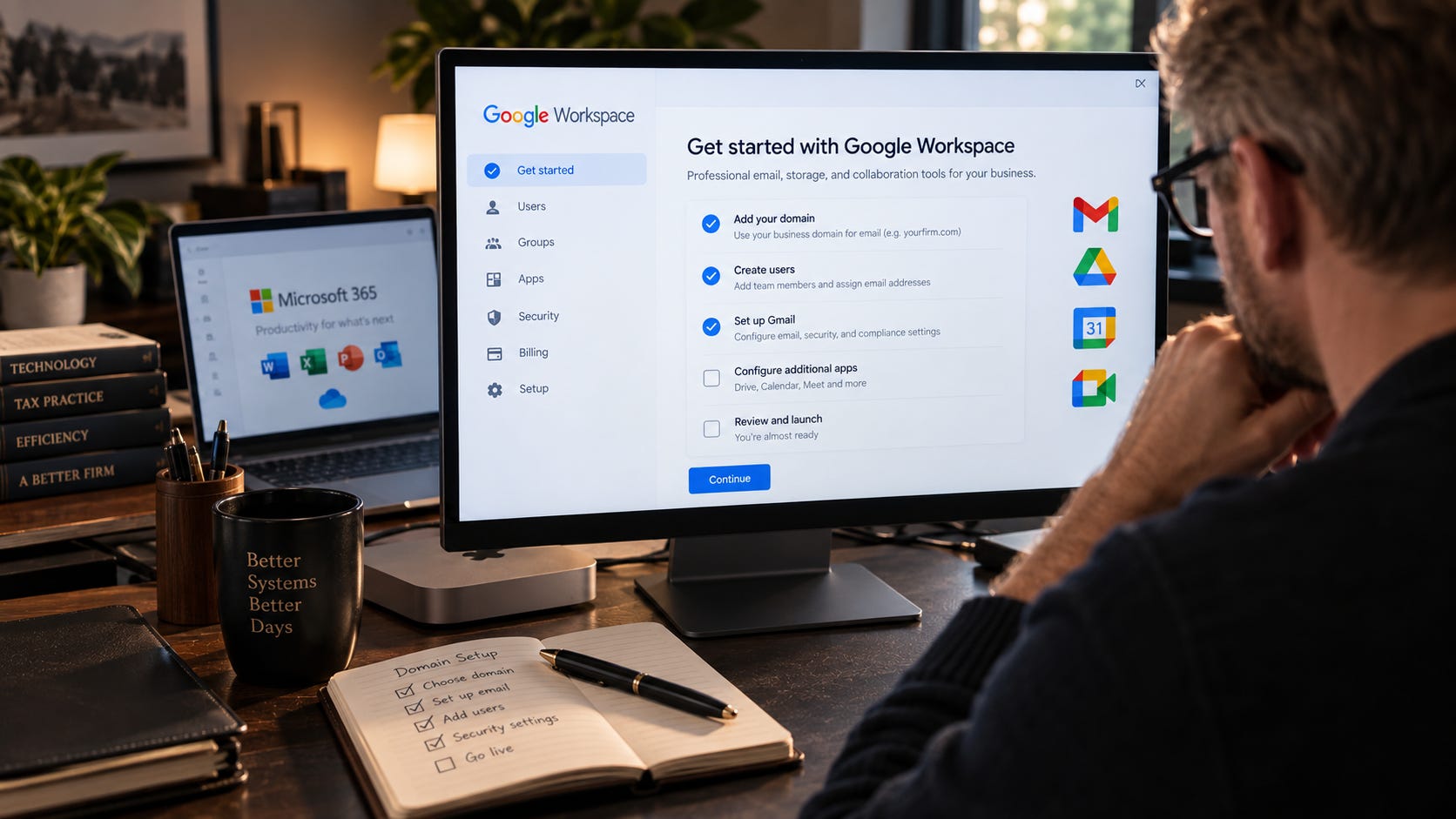
Business email can also be relatively inexpensive. Google Workspace Business Starter and Microsoft 365 Business Basic are both entry-level options worth comparing, particularly if you already prefer Gmail or Outlook
.
Using a $20 domain and a $7 monthly mailbox as a simple example, the recurring cost comes to $104 per year before tax.
That is not nothing, but in the context of running a professional tax practice, it is a relatively small investment. In my opinion, if it makes your firm appear more professional and lands you one additional engagement, then it certainly pays for itself.
One thing that may keep people from making the change is confusion about what it actually requires.
Your domain is the name you register. Your email provider is the service that hosts your mailbox. They do not have to come from the same company, and you do not need a completed website to use your domain for email.
If you already own a domain for your website, you may already have half of what you need.
You also do not necessarily have to change the way you read and send email. If you like Gmail, Google Workspace lets you continue using the Gmail interface while sending and receiving mail through your own domain. If you prefer Outlook, Microsoft 365 gives you the same interface.
You can keep using familiar software while giving clients an address that actually identifies your business.
But there is another reason I think firms should make this change, and it may be more important than appearance:
Your firm’s email should belong to your firm.
Consider a seasonal employee who handles client correspondence.
If that work happens through the employee’s personal email account, the firm does not administer the account or control its security settings. When the employee leaves, client conversations may remain in a mailbox the firm cannot access, and the business has limited ability to control continued use of that account.
With a firm-managed account, the firm can disable access, reset credentials, and retain control of the mailbox when someone leaves.
That does not undo anything an employee has already downloaded or copied, but it gives the business meaningful control over the account itself.
The same distinction matters with multifactor authentication.
You can ask everyone to turn on multifactor authentication (MFA), or you can use a business email system that lets an administrator require it. Google Workspace and Microsoft 365 both provide administrative security controls that consumer accounts generally do not place under the firm’s control.
Account recovery is another practical example.
Suppose an employee loses access to a mailbox during tax season. With a managed business account, an authorized administrator has tools to reset credentials and help restore access. If the account belongs personally to the employee, the firm may be dependent on that person’s recovery information and the provider’s consumer recovery process.
Neither situation is enjoyable on April 10, but one gives the business a defined way to respond.
Your own domain also lets you configure email authentication for systems authorized to send mail on behalf of your firm.
You will hear three acronyms: SPF, DKIM, and DMARC.
In plain English, these technologies help receiving email systems determine whether a message claiming to come from your domain was actually sent by a system authorized to use it.
That matters because someone could attempt to send a client a fraudulent payment request while pretending to use your firm’s domain. Properly configured authentication can make that kind of direct domain spoofing more difficult and help receiving systems identify unauthorized messages.
It is not magic.
SPF, DKIM, and DMARC will not prevent someone from registering a similar-looking domain. They will not protect a mailbox after someone steals the password. And simply being told that “you have DMARC” does not necessarily mean your domain is configured to reject fraudulent mail.
But properly configured email authentication is one useful layer of protection.
This is also a reasonable place to pay someone who knows what they are doing.
Before tightening those settings, identify all services legitimately sending email using your domain, including practice management, invoicing, scheduling, marketing, or other systems. Otherwise, you may interfere with legitimate messages while trying to block fraudulent ones.
And please continue using a properly secured client portal for sensitive documents.
A custom email address does not turn an ordinary attachment into a secure document exchange.
If a client sends a full tax return to your shiny new professional email address, the domain has not somehow solved the risks associated with handling that information. Your firm should still use a properly secured client portal for sensitive documents. Business-grade email will allow you to reject incoming attachments and respond with a message if desired.
If you decide to make the switch, the basic process is not particularly complicated:
Register a domain that makes sense for your business.
Choose a business email provider such as Google Workspace or Microsoft 365.
Configure your domain to work with that provider.
Properly configure SPF, DKIM, and DMARC.
Create your primary mailbox and any appropriate aliases or additional accounts.
Require MFA.
Make sure the business maintains administrative control of both the domain and the email service.
Whichever services you choose, make sure the business controls the domain registration and the email administration. Protect the administrative accounts with MFA, keep recovery information current, and enable automatic domain renewal with a valid payment method.
If someone else handles the setup for you, you should still have the credentials, administrative access, and documentation necessary to control your own systems. This applies to all of your tech services and infrastructure.
There are practitioners running excellent firms from email addresses they created 20+ years ago. Changing the address will not make them better tax professionals.
But that really is not the point.
We ask clients to trust us with extraordinarily sensitive information and to pay professional fees for our expertise. Spending roughly a hundred dollars a year to make sure our email looks like it belongs to an actual business—and is controlled by that business—is a remarkably inexpensive upgrade

.
If you’re still using "besttaxpro1987@gmail.com”, this might be the week to retire it. If you have any questions about doing this, please comment below. If you know someone who is still using a generic email and you think they would benefit from this information, please share it with them.
Getting an email from a “professional” using a free address is such a turnoff for me.
OMG! This is my pet peeve! Its like the professional does not take himself seriously- why should anyone else!!