


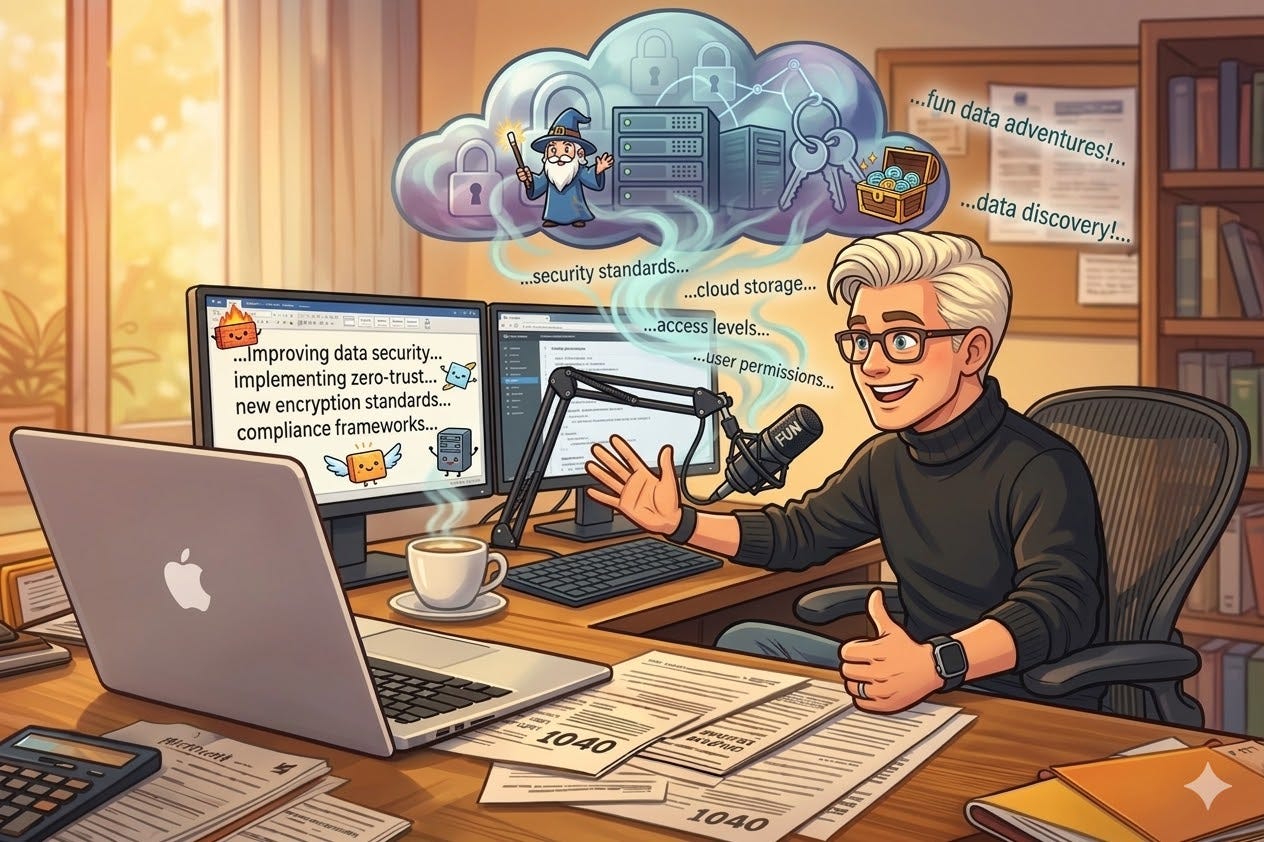
I was working on a case last month. I had IRS transcripts pulled up on one monitor, my notes on the other, and I needed to draft notes about the client’s compliance history. I knew exactly what I wanted to say. I could see the whole thing in my head. And I sat there typing it out, word by word, watching my thoughts back up behind my fingers like traffic.
That’s when it clicked. I wasn’t slow at typing. I was slow at typing compared to thinking.
I’ve spent thirty years in IT. I type fast. I’ve always typed fast. I was the last person who thought they needed a voice dictation tool. And I was wrong.
Wispr Flow has changed how I work. Not in a “nice productivity hack” way. In a “I can’t believe I was doing it the other way” way. But it comes with a serious caveat for anyone in our profession, and that caveat is what most of this article is about.
I’m also not the only fast typer who got converted. Ryan Reichert, EA, CFP, of Brass Tax Presentations, has been on the same journey. I asked him to share his experience, and he brought something to the table I wasn’t expecting.
The Friction You Don’t Notice
Here’s what Wispr Flow does. You hit a hotkey. You talk. Clean, edited text appears wherever your cursor is. Email, Claude, CoCounsel, Word, Slack, your case management system, Facebook Messenger. It doesn’t care. It works everywhere. It runs on Mac, Windows, and iOS, with Android in limited release.
What separates it from the dictation you’ve been ignoring on your Mac since 2015 is what happens between your mouth and the screen. It strips filler words. If you restart a sentence mid-thought, it catches the correction instead of transcribing the false start. It learns your vocabulary. I’ve trained mine on “Section 7216” and “Form 2848” and “installment agreement” and all the other terms that make normal dictation tools choke. It adapts tone based on the app you’re dictating into, more formal in Outlook, more casual in Slack.
Pro costs $15 a month, or $12 a month on an annual plan. There’s a free tier capped at 2,000 words per week on desktop (1,000 on iPhone). Enterprise starts at $24 per user per month. All new accounts get a 14-day Pro trial, no credit card required.
But the pricing isn’t the point. The point is what happens to your work when the bottleneck between your brain and your screen disappears.
The biggest difference has been in AI prompting. I draft prompts now that I never would have typed. Long ones. Detailed ones. The kind where you walk the AI through the full context of a case, explain what you’ve already tried, describe what you’re looking for, and specify the format you want back. Nobody types a 300-word prompt. You shortcut it. You leave context on the table. But when you can just talk through it, you give the AI everything it needs, because the cost of being thorough dropped to zero.
Case notes after a client call used to be something I’d get to “in a minute,” which sometimes meant an hour later when half the details had faded. Now I hit the hotkey the second I hang up and talk through the whole conversation while it’s fresh. Content drafts, client emails, cover letters for IRS submissions, all faster, all with more detail than I’d have bothered to type. And because it works on iPhone too, I’ve caught myself dictating notes from the parking lot before I even get back to my desk.
I didn’t expect any of this. I expected to try it for a week and go back to my keyboard. That was months ago.
Ryan’s Experience
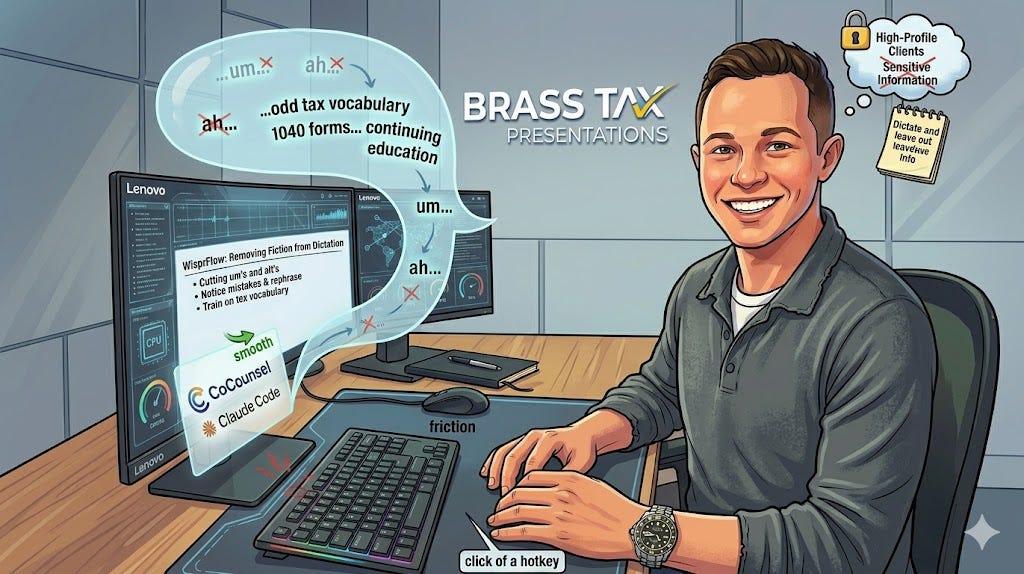
Ryan Reichert, EA, CFP®, is a practicing tax professional from San Diego, California. His financial planning and business ownership background makes him specially equipped to handle new and often complex tax laws. Ryan has a knack for breaking tax topics into presentations that keep attendees engaged and learning throughout the day. He is also the owner of the client-facing publication Tax News and Tips.
Ryan has been deep in the weeds, integrating AI into his continuing education work at Brass Tax Presentations. I asked him to share his experience independently because he’s thinking about this from a different angle, and because he’s honest about where the tool falls short.
Recently, we’ve been migrating our continuing education infrastructure to integrate AI where it makes sense. I’ve been a fast typer all of my life, but our adoption of AI has caused me to stop and think anytime I feel “friction” while working to see if there’s a better way for me to operate. So, as I’ve been prompting my tax research tool CoCounsel from Thomson Reuters or prompting Claude Code, by finding a way to get information out of my head faster I figured my prompts would be better off if I didn’t feel constrained by the time it took to type them.
There are A LOT of dictation services out there. But I wanted one that could meet the following requirements:
1) Cutting um’s and ah’s 2) Would notice when I made a mistake and rephrase and actually apply it while typing 3) That could be trained on the odd tax vocabulary I use constantly
After doing a ton of research, I ended up settling on WisprFlow.
This app has effectively removed all friction from typing and working with AI. And I LOVE it. As I use it, I’m teaching it new words, phrases, and formatting of my spoken word into a typed format. I like that it effectively exists in any application I want to use it with, with the click of a hotkey. It’s amazing.
However, I will say that until everyone makes a change, there is an obvious gap between my spoken word and my typed word. When I type, my voice tends to be far more formal, which is really important for writing. But if you ask any of my regular seminar attendees, they’ll tell you that I speak very casually, which helps to make the material more approachable. This is an odd catch-22 that I’m sure could be solved by using another service like Grammarly to help to formalize some of my spoken word translated by WisprFlow, but I’m not really sure.
AI technology is advancing so fast that I wouldn’t be surprised if, in a few months, it could formalize my words on the fly. I’m also pretty considerate about what I use it to dictate. Outside of education, I work with some high-profile tax clients, and I am VERY careful not to dictate that information, or to dictate and leave out sensitive information which I’ll then go and add later.
There are always complications when using AI for sensitive information, which I anticipate will also be worked out to push full-blown commercial use of AI, but I don’t think it’s a reason enough not to use these tools (while being considerate of security concerns).
-- Ryan Reichert, EA, CFP® | Brass Tax Presentations
Ryan raises something worth sitting with: the gap between your spoken voice and your written voice. When you type, you self-edit in real time. When you talk, you’re more relaxed. I’ve noticed the same thing. My dictated drafts need more editing than my typed ones. The substance is better, but the polish isn’t there yet. Wispr Flow’s Command Mode helps (you can highlight text and say “make this more formal”), and I think the AI models will close this gap soon enough. For now, know that your spoken drafts won’t read like your typed ones. Plan accordingly.
The Security Deep Dive
Every word you dictate through Wispr Flow leaves your computer. There is no local processing option. Your voice travels to external servers, gets processed by multiple third-party AI providers, including OpenAI, Anthropic, Cerebras, Baseten, and Fireworks AI, and the resulting text comes back to your device. All infrastructure runs on AWS in the US East region. All of it happens off your machine.
For a tax practitioner, that fact is where this conversation has to start.
The Controls That Matter
Wispr Flow gives you real privacy controls, and they’re meaningful. This isn’t security theater.
Privacy Mode is the most important toggle in the app. Enable it in Settings, Data and Privacy, and none of your dictation data (audio, transcripts, edits) is stored or used for model training by Wispr or any third party. Zero data retention. Process and discard. Available on every plan, including free.
Here’s what you need to know: Privacy Mode is not on by default. During onboarding, Wispr presents two choices: “Help improve Flow” and “Privacy Mode.” The default selection is “Help improve Flow,” which means your dictation data can be used for model training. If you clicked through onboarding without reading carefully, you are opted in to data collection. Go check your settings right now. Settings. Data and Privacy. Privacy Mode. Turn it on.
The HIPAA BAA is available on all plans and can be signed in-app on desktop and iOS. Signing the BAA permanently locks Privacy Mode on. You cannot turn it off afterward. That’s not a limitation. That’s good design. It removes the possibility that you or someone on your staff accidentally toggles Privacy Mode off and forgets to turn it back on. This is what I mean when I talk about systems over discipline. You’re not relying on yourself to remember to keep a toggle in the right position every day. You’re building a system where the safe configuration is permanent. Sign the BAA. Even if you don’t handle health information. Lock it in.
Context Awareness is the one to watch. When it’s on, Wispr Flow reads text from your active application window to improve transcription accuracy. Think about what that means if you’re staring at an IRS transcript or a client’s Form 433-A when you start dictating. Whatever’s on your screen could be transmitted to their servers alongside your voice data. You can toggle this off. I’d recommend you do when working with client files.
One more gotcha: if you submit a feedback or bug report through the app, the transcript text associated with that report may be transmitted to Wispr’s internal support systems regardless of Privacy Mode. If you’ve signed the BAA and you’re handling sensitive data, don’t submit bug reports that include active transcription windows.
Wispr states they have agreements with all third-party AI providers ensuring zero data retention on their end. They say they never sell your data. Their business model is software, not data. Even so, usage metadata (word counts, app names, device info, IP addresses) is still collected with Privacy Mode enabled. And the privacy policy contemplates data sharing in the event of an acquisition or merger. Wispr has raised significant venture capital. Companies at that stage get acquired. The privacy commitments that exist today are made by the company that exists today.
The Enterprise Documentation Gap
This is the part that frustrates me, and it’s a theme I keep coming back to.
What you get on Basic and Pro is functional: Privacy Mode, HIPAA BAA, Context Awareness toggle, TLS encryption. What’s behind the Enterprise paywall is different: SOC 2 Type II compliance documentation, ISO 27001 certification documentation, enforced Privacy Mode across your team, SSO/SAML, SCIM provisioning, a formal Data Processing Agreement, and configurable local data storage policies.
That second list isn’t the features you use every day. It’s the documentation you need when you’re building your WISP and you need to demonstrate you’ve vetted your vendors’ security controls. Without those audit reports, you’re pointing at a marketing page and hoping that counts.
I’ll also flag something odd. Wispr’s Trust Center and Enterprise page both say they’re SOC 2 Type II compliant. But their Security Overview help article says “Working toward SOC 2 Type II and ISO 27001 certifications.” That’s contradictory. If I’m doing a vendor assessment for my WISP, I need a clear answer on certification status, and the vendor’s own documentation shouldn’t contradict itself.
Wispr does maintain a public Trust Center through Delve, where you can request access to SOC 2 reports, penetration test reports, and other documentation. If you’re on Basic or Pro, it’s worth submitting a request to see if they’ll share regardless of plan tier. The FTC Safeguards Rule requires you to document how your service providers protect client data. You need those documents in your files.
This isn’t unique to Wispr Flow. It’s systemic across SaaS. The compliance documentation small businesses need is consistently locked behind pricing tiers designed for organizations with hundreds of seats. I’ve written about this before and I’ll keep writing about it until it changes.
Section 7216 and PII
Here’s where I need you to pay attention. If you haven’t read the article I contributed to last week with Tom Gorczynski, it is a must read.

Under Section 7216, a tax return preparer cannot disclose tax return information to a third party without the taxpayer’s consent. The penalties are real. It’s a misdemeanor with potential criminal penalties and fines.
Now think about what happens when you dictate case notes through Wispr Flow. You say a client’s name. You reference their Social Security number. You talk about income figures, filing statuses, and assessment balances. That information is being transmitted to servers operated by five different AI companies. Is that a disclosure under Section 7216? That’s a question worth asking. The answer probably depends on your specific circumstances and the data involved. But the question exists, and most practitioners haven’t thought to ask it.
Let’s be practical. You’re on the phone with a client discussing their wage garnishment. You hang up. You hit the hotkey and start rattling off notes. Their name, their SSN, the balance they owe, the levy source. That’s a reflex. And it’s a reflex that sends all of that to cloud servers.
Ryan gets this right. He dictates around sensitive information and backfills the specifics later. That’s the correct approach. But it requires building a habit, and habits are only as reliable as the person maintaining them on a Tuesday afternoon when they’re four cases deep and running behind.
This is where systems over discipline comes back. You can’t rely on yourself to remember not to say a Social Security number out loud every single time. But you can sign the BAA (locking Privacy Mode permanently), turn off Context Awareness, and build a workflow where PII gets typed, not spoken. Structure the system so the safe path is the default path.
The Verdict
Wispr Flow is the best voice dictation tool I’ve used. It removed a bottleneck I didn’t know I had. It has made me faster, made my AI prompts dramatically better, and changed how I think about the gap between having an idea and getting it on screen. Ryan’s experience confirms what I’ve been seeing.
But “best tool I’ve used” and “use it without thinking” aren’t the same thing.
If you have a Written Information Security Plan (and you should, because the FTC Safeguards Rule requires it, and when you renew your PTIN, you state that you understand that requirement), voice dictation tools need to be in it. Not as a footnote. As a documented vendor with a documented risk assessment. Document what data the tool could capture, where it’s processed, what controls you’ve enabled, and what residual risks remain.
Use Wispr Flow with Privacy Mode locked on. Use it with the BAA signed. Use it with Context Awareness off when you’re in client files. Build the habit of dictating around PII rather than through it. Say “the client” instead of their name. Say “their identifier” instead of their SSN. Fill in the specifics manually. And check your settings, because the defaults aren’t configured the way you’d want them.
I use Wispr Flow every day. I recommend it. And I recommend it with respect for what it can do if you’re not paying attention.
Here is an offer for a free month of the pro version. (I get a free month if you use it.)
Editor's Note: After this article was drafted, a Substack investigation accused Delve, the platform that hosts Wispr Flow's Trust Center and compliance badges, of systematically misleading customers about their compliance status. The allegations include fabricating audit evidence and routing certifications through firms that rubber-stamp reports without independent review. Delve has denied the claims, calling them misleading. TechCrunch and other outlets have covered the story. This does not mean Wispr Flow's SOC 2 Type II certification is fraudulent. But Wispr Flow's public compliance documentation is hosted on a platform whose credibility is now being actively questioned. If you are evaluating Wispr Flow's security posture for your WISP, this is something to be aware of. I will update this article as the situation develops.
But does it understand NYeze. Our dictation style is occasionally different than the rest of the worlds dictation styles. You know what I'm talking about?
Could you train it to put in hastags when you say "add Social Security" or "add back account number"?